Global Control Group · Connect! Industry
Connect! Industry: visibility into production
CONNECT! shows selected statuses, faults and process values from your controls to the people who need them, on the shop floor and remotely.
- Production
- Follow process values and machine status during the shift.
- Maintenance
- Review deviations and look back at what preceded them.
- Management
- Use the process data in discussions about production.
Connect! Industry
For production, maintenance and management.
The operator wants to follow the process. Maintenance investigates why something deviates. Management wants to discuss how production is running. With CONNECT!, they all work from the same data.
Which machine readings are you still copying by hand?
An operator records a stoppage in Excel. It appears in a report later. If the controls already provide the signal, CONNECT! can collect that record directly from the machine. Operator input is still needed for causes the PLC cannot identify. Your existing reporting can remain part of the process.
We start with the question you need to answer: investigating a stoppage, following production or viewing data remotely. We then establish which signals are available, how they are stored and who needs the overview.
Want to track OEE? We agree how availability, performance and quality are determined. A fault message alone is not OEE. Required counts, reference speeds, quality records and production times are part of the configuration.
Machine
PLC, sensors and process values
Edge
Data acquisition, connectivity and buffering
Cloud
Connect! backend and central data storage
Insight
Dashboards, trends and alerts
Data flow: PLC and sensor values are collected, stored and displayed in dashboards.
Connect! Industry
Insight for production and maintenance teams.
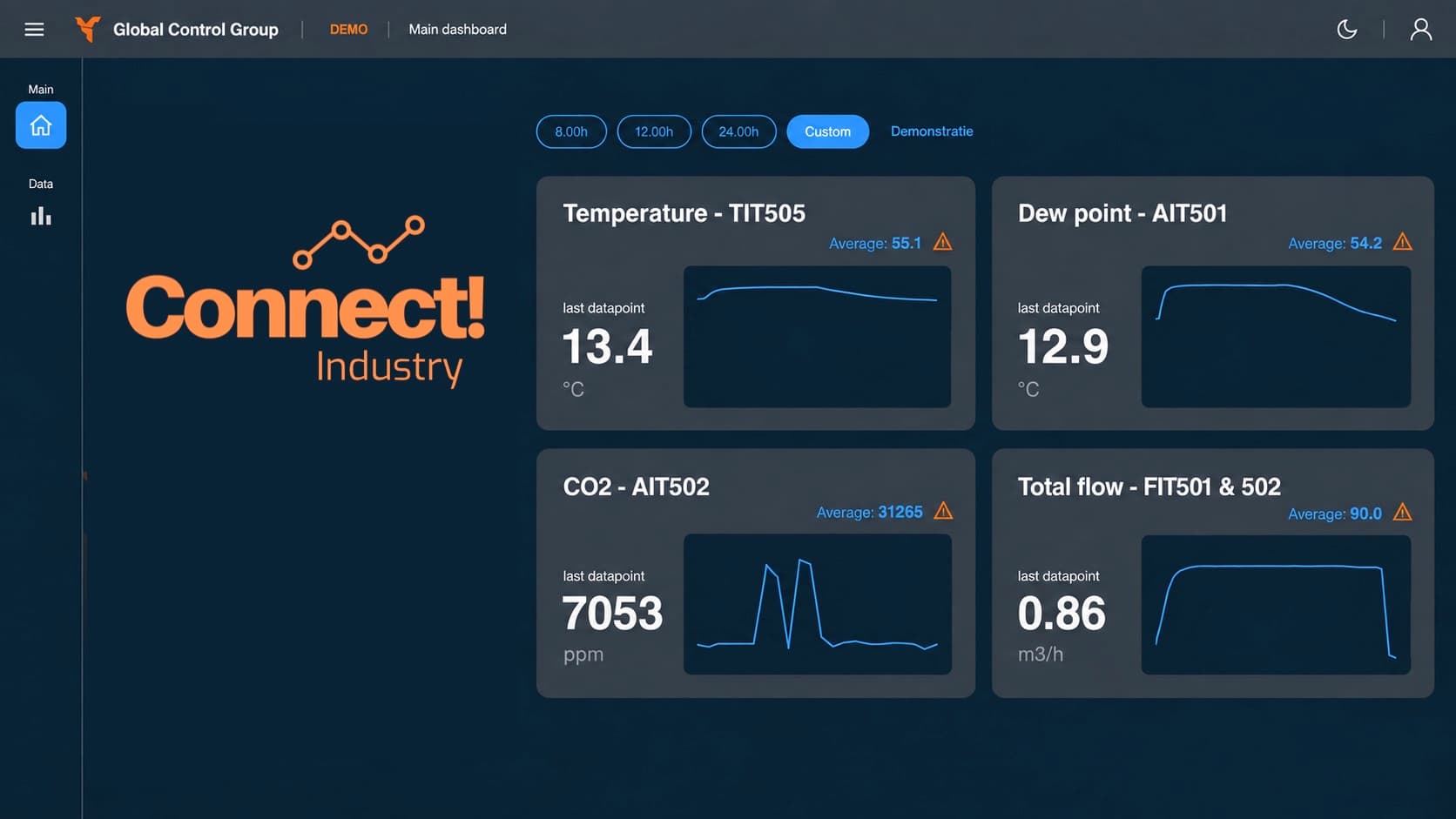
Real-time monitoring
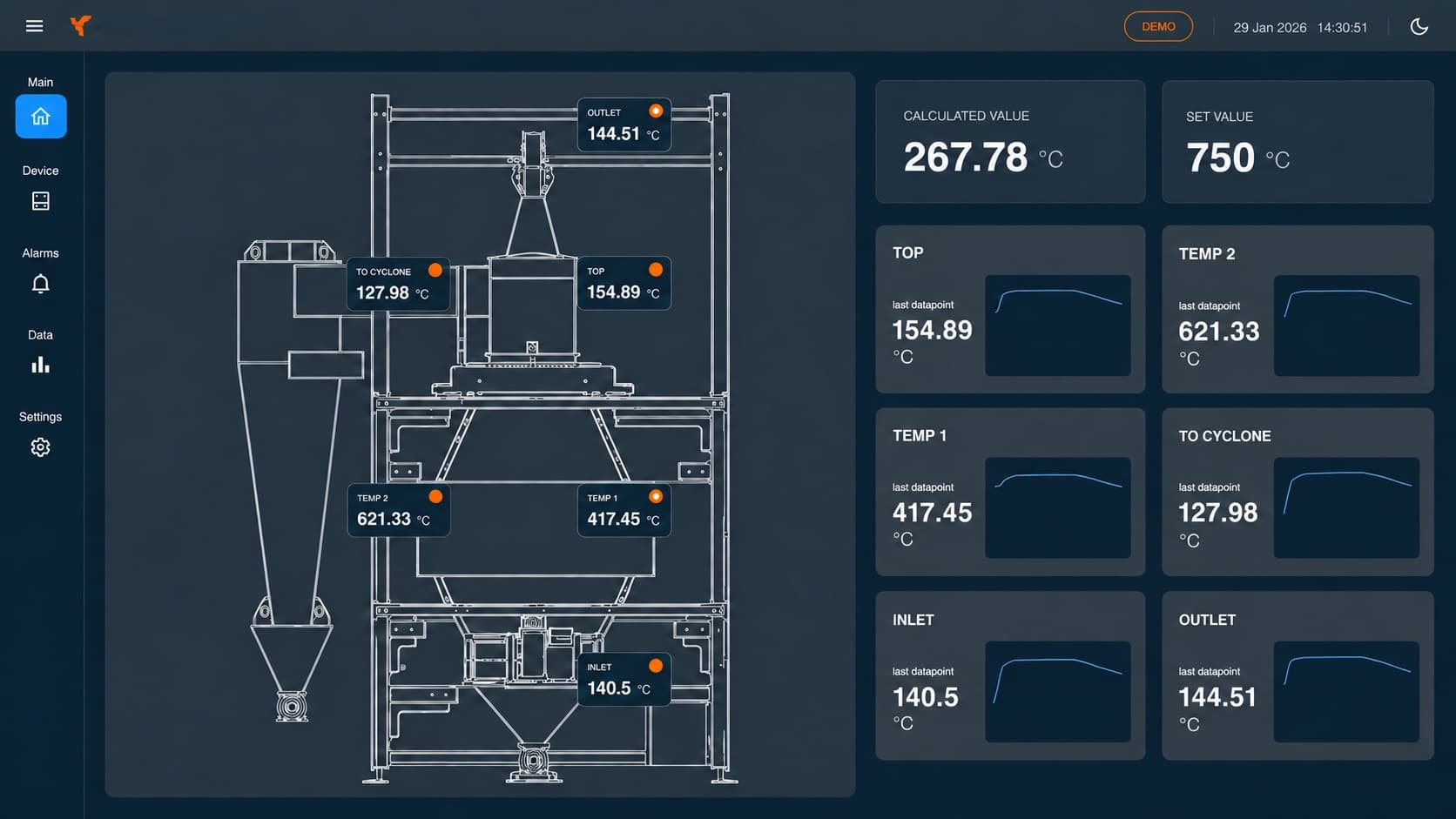
View selected PLC and sensor values remotely. Together we define relevant signals, sampling rates and thresholds.
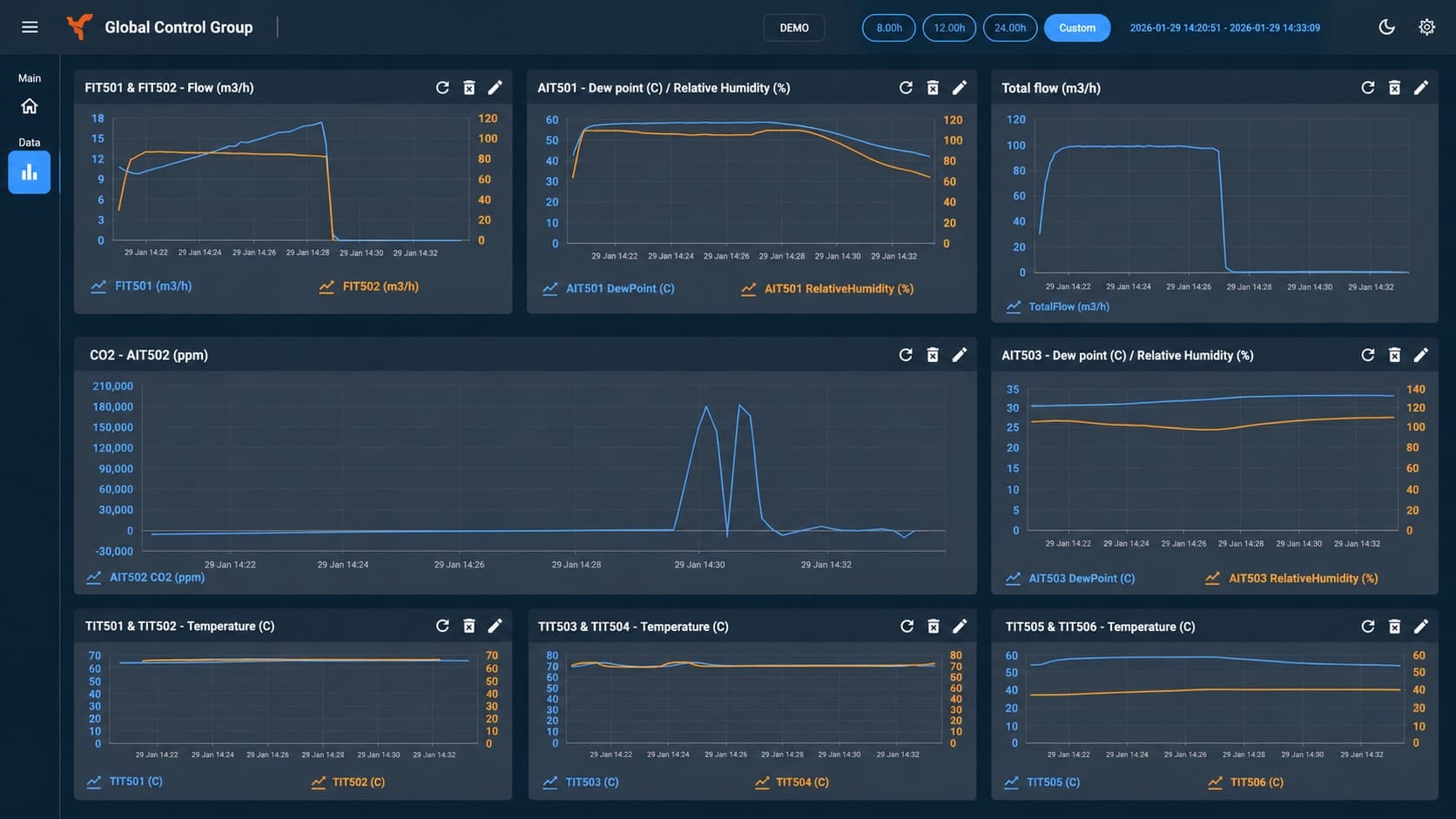
Dashboards & trends
Bring current and stored process data into a useful overview. Data selection, history and dashboard layout are configured for each application.
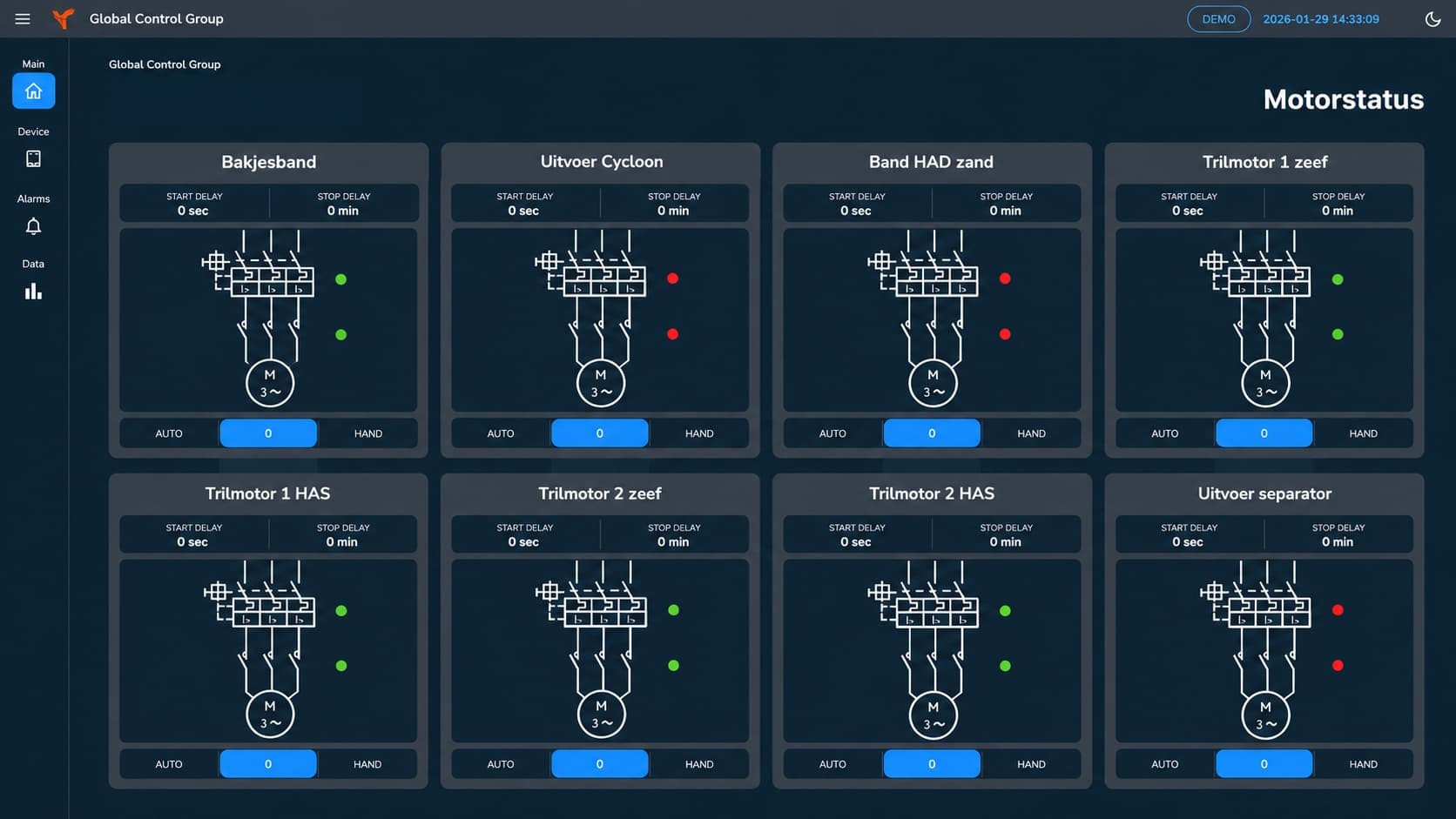
Machine status & faults
View available status and fault signals from the controls. We agree which deviations are shown as alerts.
Connectivity & continuity
Data transmission can also be configured without wired internet, for example using mobile connectivity and VPN.
Example screens; we set up the layout and the data for each installation.
Connect! Industry
More screens from CONNECT! Industry.
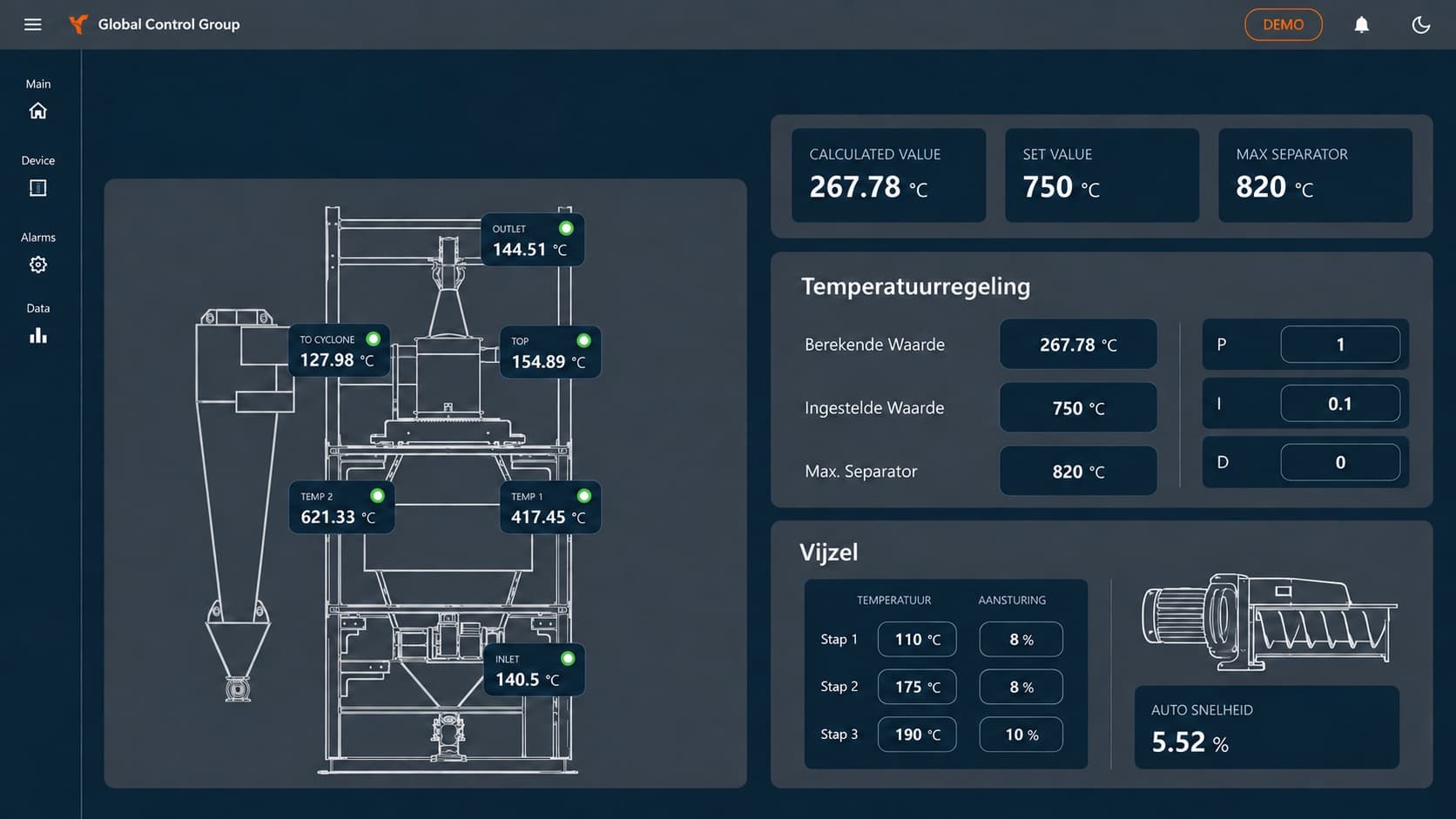
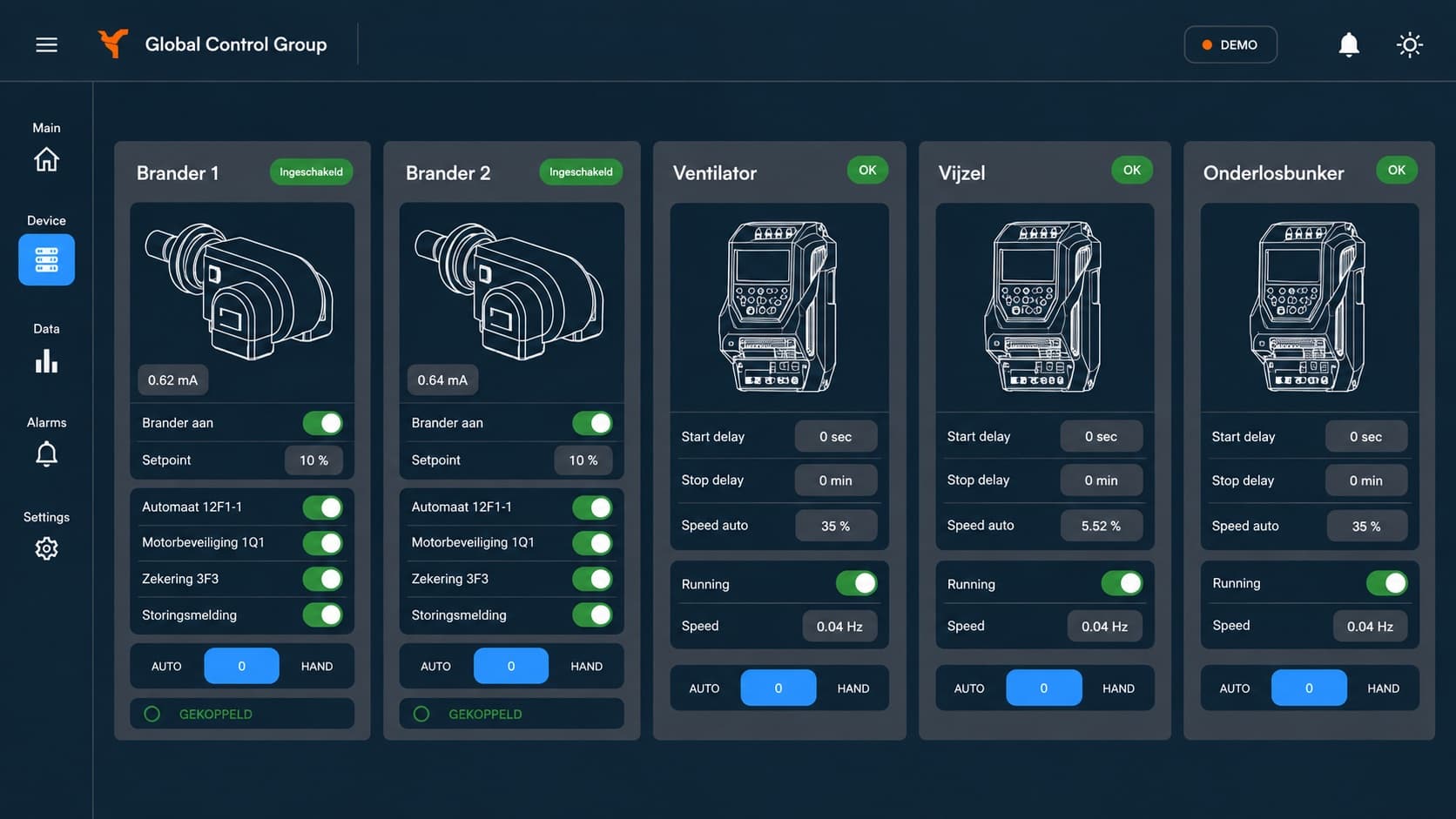
Example screens; we set up the layout for each installation.
Connect! Industry
Choose where to start.
We discuss three things before we begin.
The installation
Which machine or process step do you want to start with?
The signals
Which values and statuses are needed and available?
The display
What do you want to see in the overview, and over what period?
Connect! Industry
From first question to going live.
This is how we could approach this with you.
Defining the goal
What do you want to monitor, and at which installation?
Assessing the signals
Which data is available, and how do we read it out?
Connection and screen
We define how data is transmitted and displayed, and what should happen if the connection drops.
Verifying and starting
We verify the data and the screen and agree when you can start using it.
Connect! · Everox
Applied in practice.
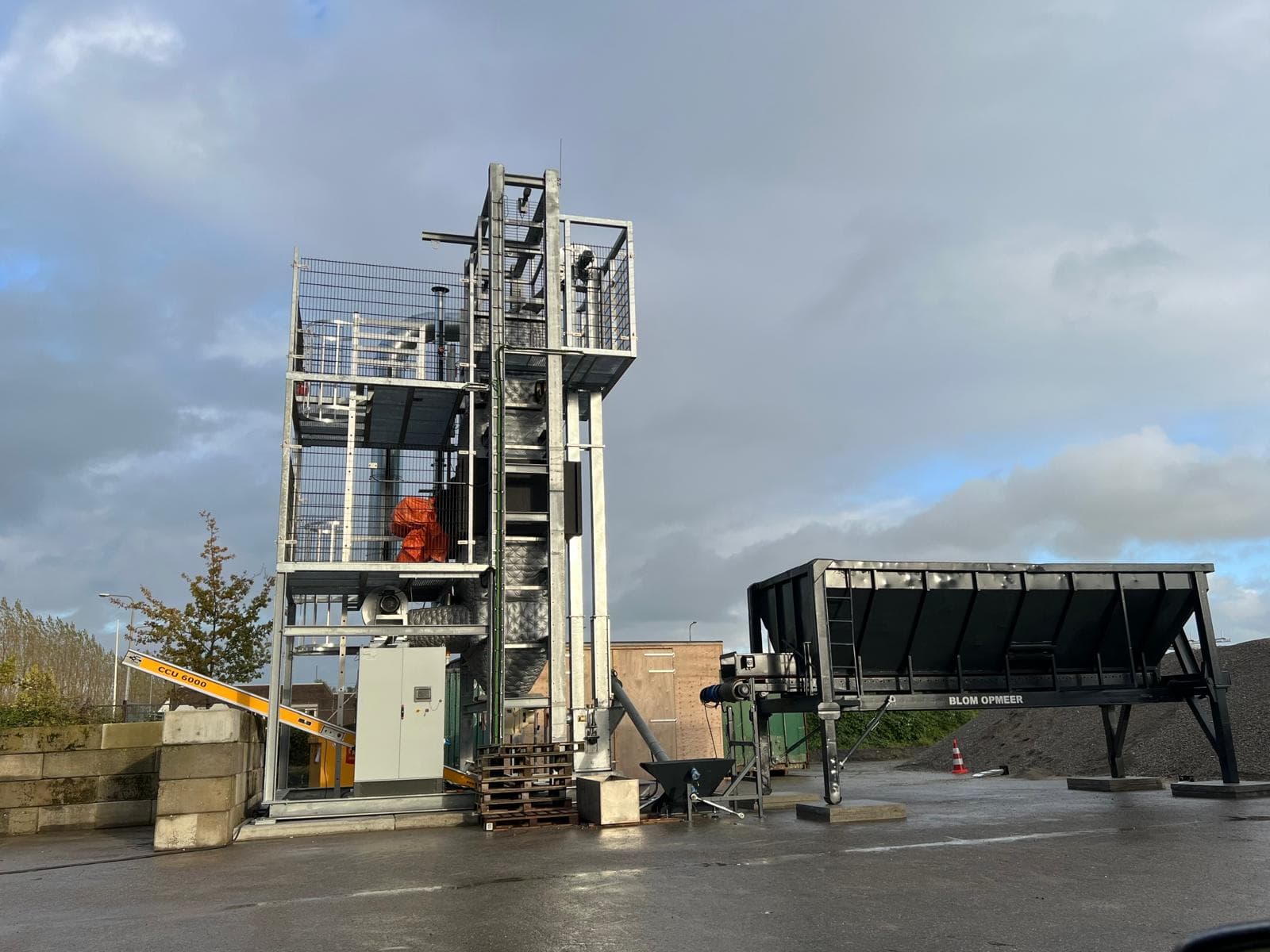
Connect! on a Thermal Mechanical Separator: Everox
First Connect! deployment, on an installation processing concrete waste.
Connect! V2 on a carbonator: Everox
Monitoring for a CO₂-reduced cement replacement production line.
Connect! remote monitoring 2,000 km away: Everox, Ukraine
Real-time sensor data from a machine 2,000 km away, managed remotely through Connect!.
GCG · Circular Concrete Machine
Machine data in concrete recycling.
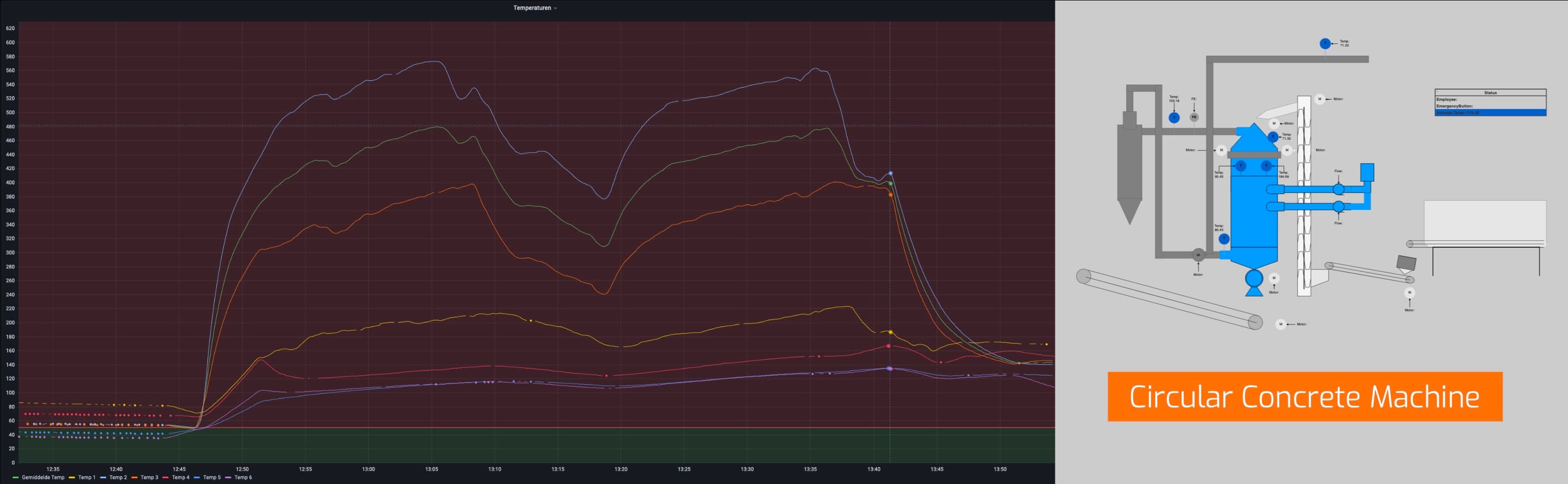
GBN worked with TU Delft on technology to turn concrete rubble into raw materials for new concrete. GCG built the data connection: collecting PLC data, transmitting it remotely and storing it for analysis.
Business outcomeMachine data available for analysis and remote monitoring without a fixed internet connection on site.
The challenge
The Circular Concrete Machine required machine sensor data to be available for analysis. Manual recording on site took time and limited remote insight. The installation had no fixed mains power and no wired internet.
From PLC to data warehouse
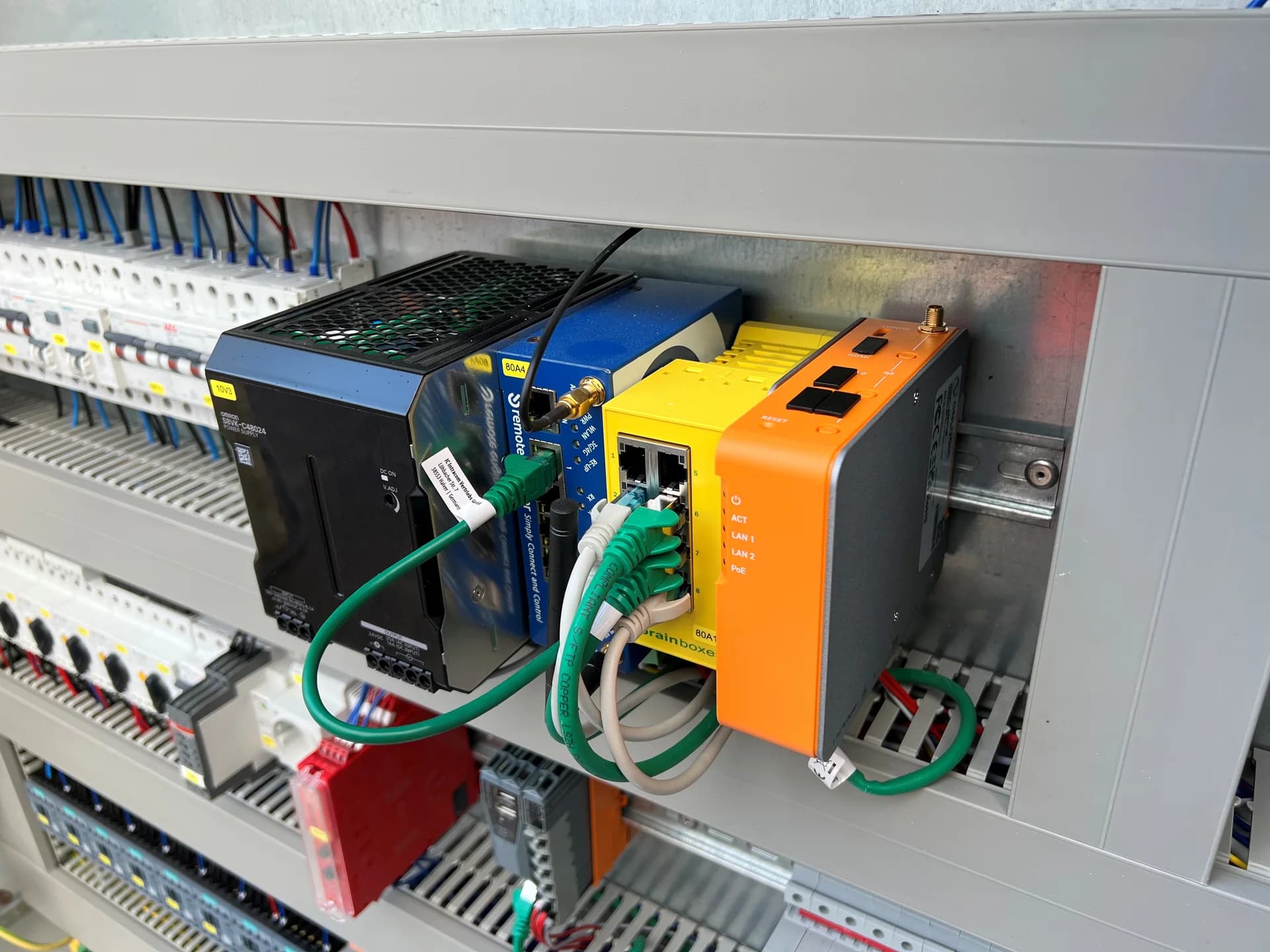
GCG read the data from the PLC and stored it in a data warehouse. A dashboard made the collected values available for analysis. A 4G connection and VPN enabled remote transmission without relying on a fixed internet connection at the site.
Buffering and recovery
We set up the on-site installation to buffer the data and recover it after a power loss. Behaviour during an interruption was part of the design of the connection.
Implementation and handover
GCG supplied the PLC automation, computer hardware, software and cloud integration. We installed and tested on site with the customer, and trained the users to set up their dashboards.
The outcome
PLC data became available for storage, analysis and remote monitoring. Alerts made deviations in machine performance and agreed thresholds visible. The application handled 100,000 events per day.
CONNECT! · Product development
Product development: frontend and backend.
John Tol
John works on the frontend of CONNECT!, Global Control Group's data platform. He develops the UI design and works on new features for CONNECT!.
Brayn Geijs
Brayn works on the backend and database of CONNECT!, Global Control Group's data platform. He develops the underlying software and is also a PHP specialist.
Technical considerations
We configure protocol selection, PLC access, buffering, hosting and security for each installation.
Alerts support monitoring and response. They do not replace machine safety functions.
Data retention, access rights, hosting, connectivity and support are set out in the project agreement.
What needs to change in your installation?
Tell us what is already installed and what you are running into.